
How to find your PinkPerks Share Link
Your PinkPerks share link is what you’ll send to customers so they can complete the questionnaire and join your PinkPerks program. This quick training will show you exactly where to find your link inside VipeCloud and how to copy and share it through text, email, or your digital business card.
Video How To:
Step By Step How To:
Step 1: Login to Vipecloud.https://app.vipecloud.com/login
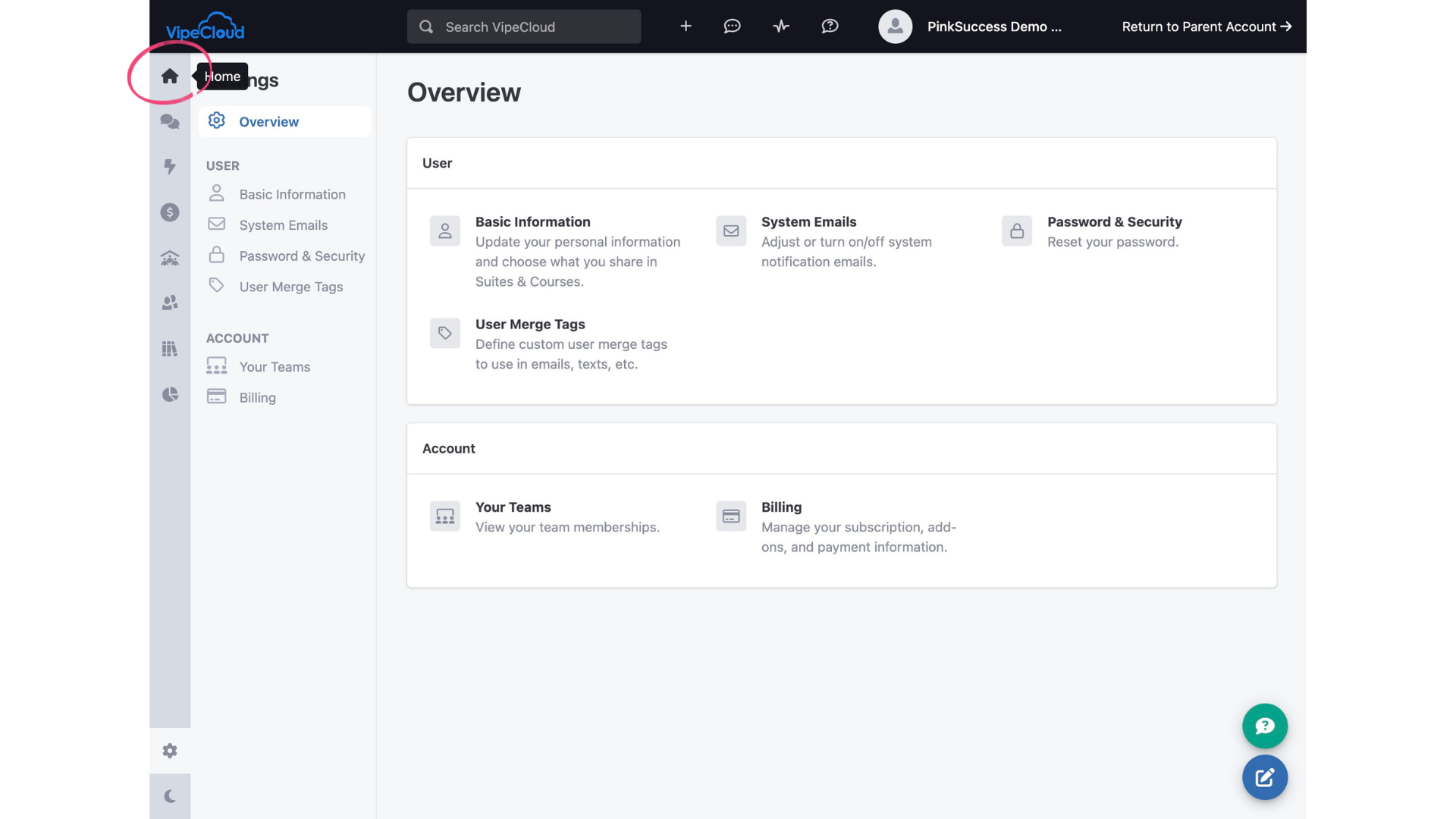
Step 2: Navigate to the Home page by clicking the little house.
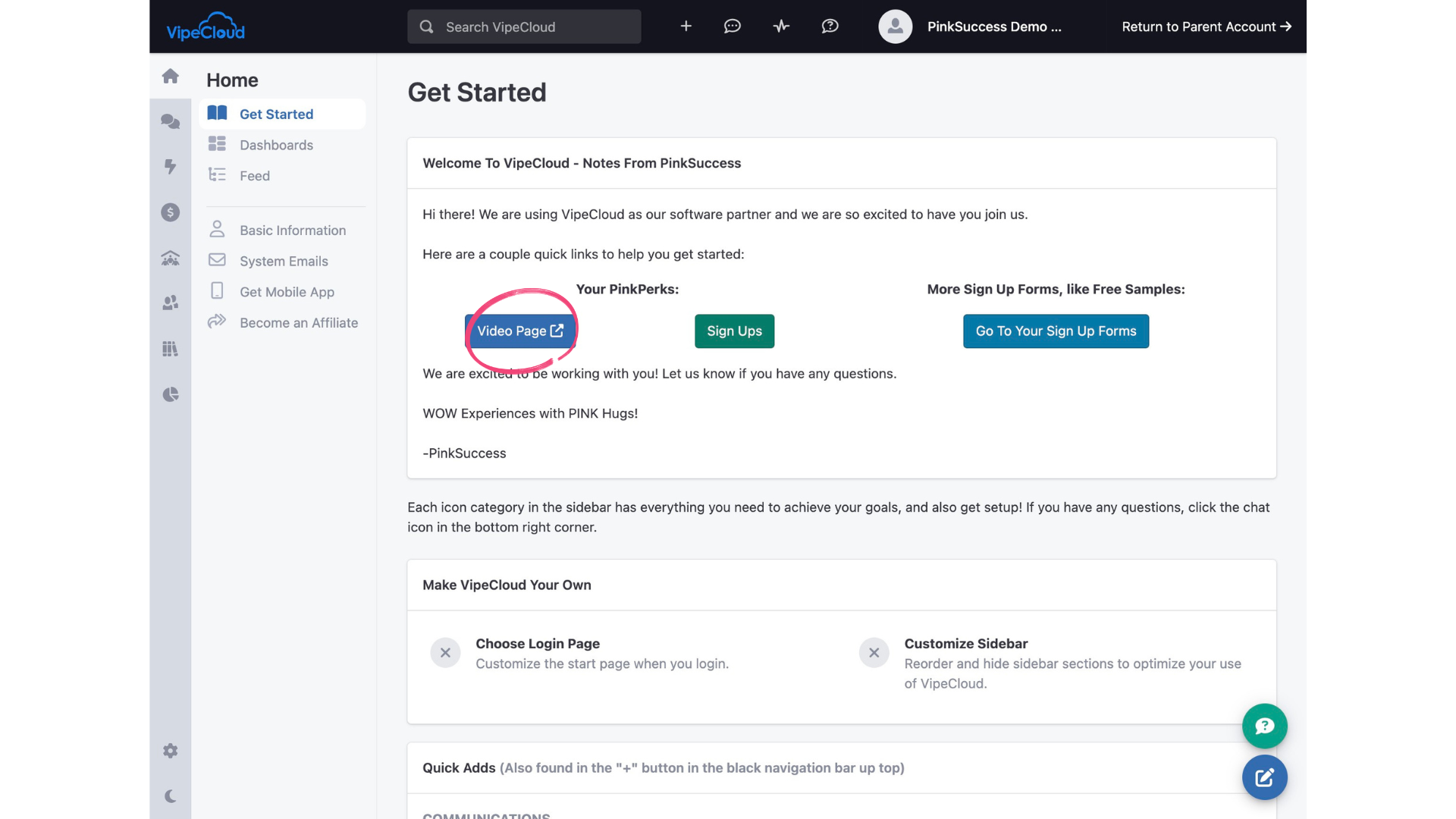
Step 3: Click "Video Page". Then, your personal PinkPerks landing page will open up in a new tab.
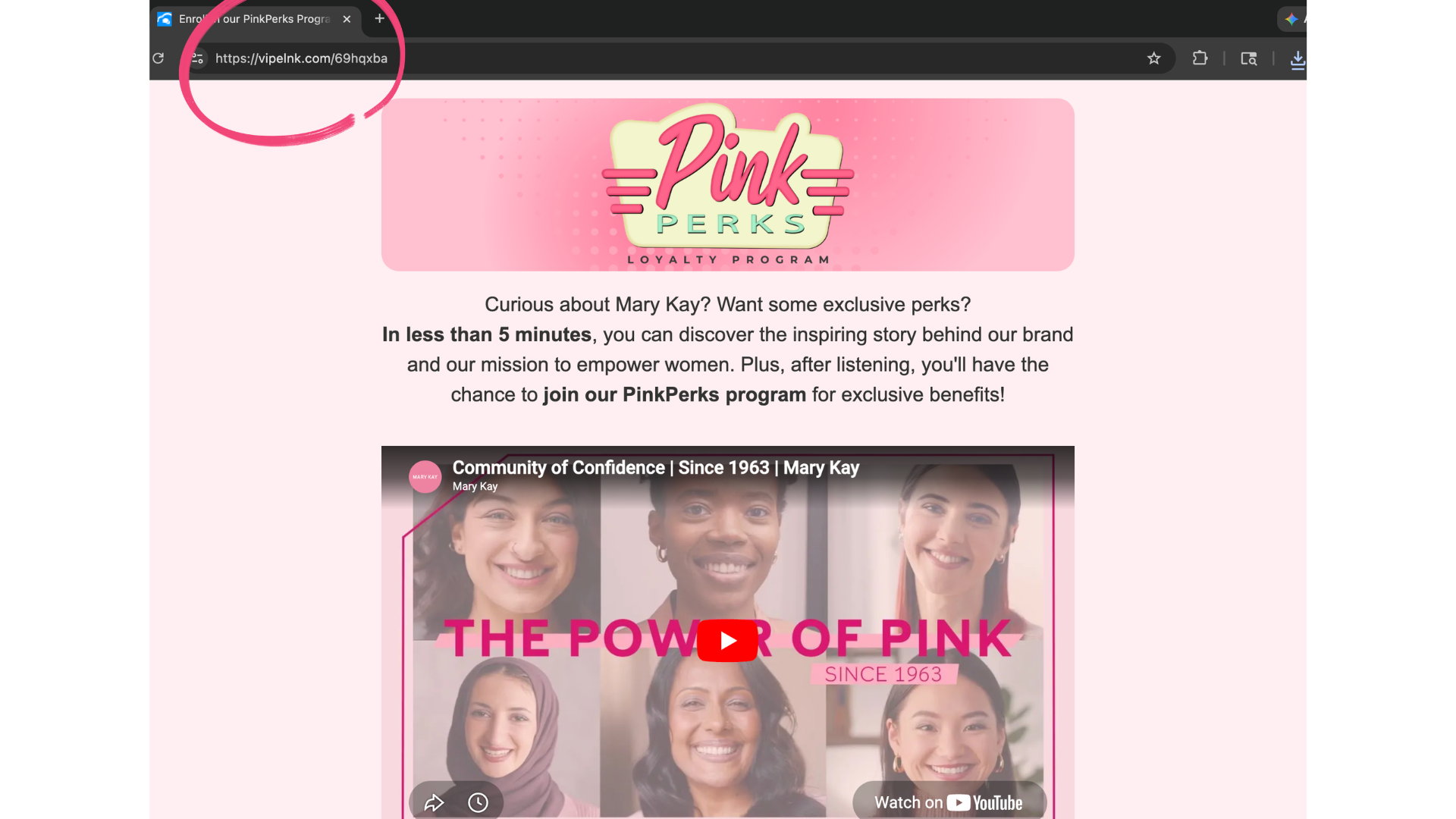
Step 4: Copy the url—this is the share link for YOUR PinkPerks landing page. Save it on your phone and/or computer, and you can text and email it out!
(You can also share your page with the QR code, which you can find under "Sign Ups". There is another how-to guide with details for that.)