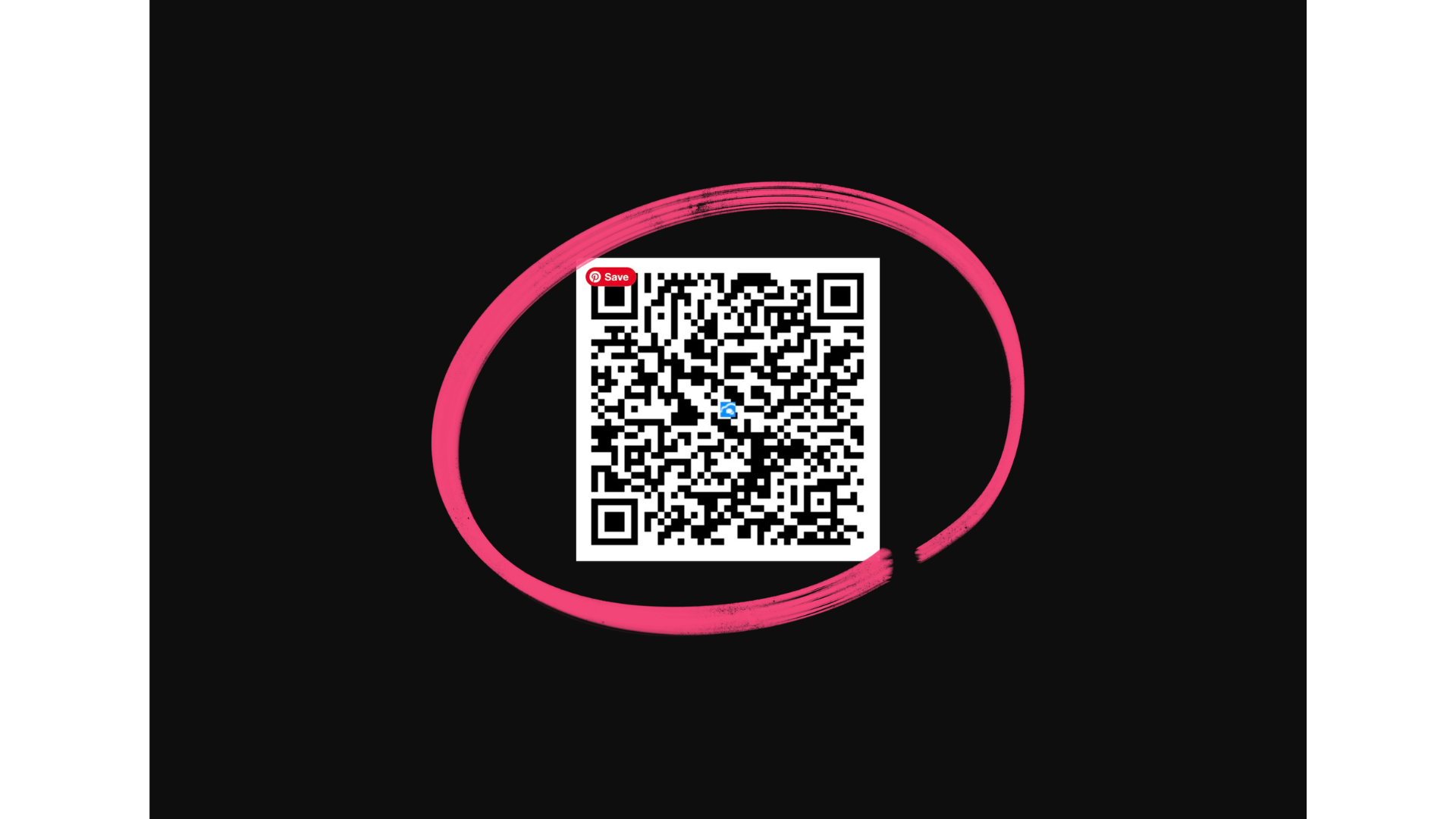
How to Find and Save Your PinkPerks Questionnaire QR code
Learn where to locate your PinkPerks QR code inside VipeCloud and how to save it for easy sharing. Your QR code allows customers to quickly access your PinkPerks questionnaire by simply scanning it.
Video How To:

Step By Step How To:
Step 1: Log in to Vipecloud: https://app.vipecloud.com
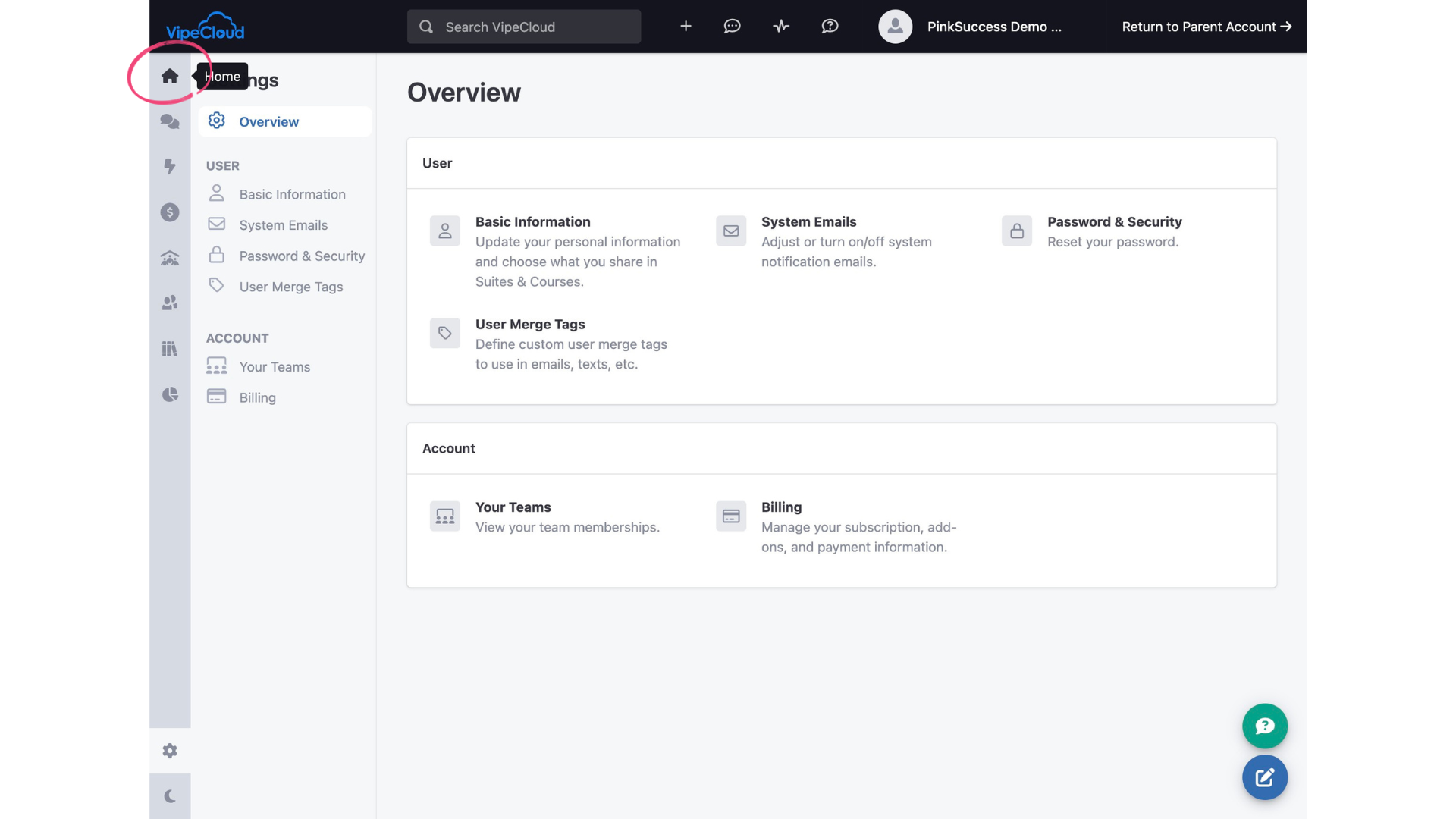
Step 2: Navigate to your Home page of Vipecloud by clicking on the little house.
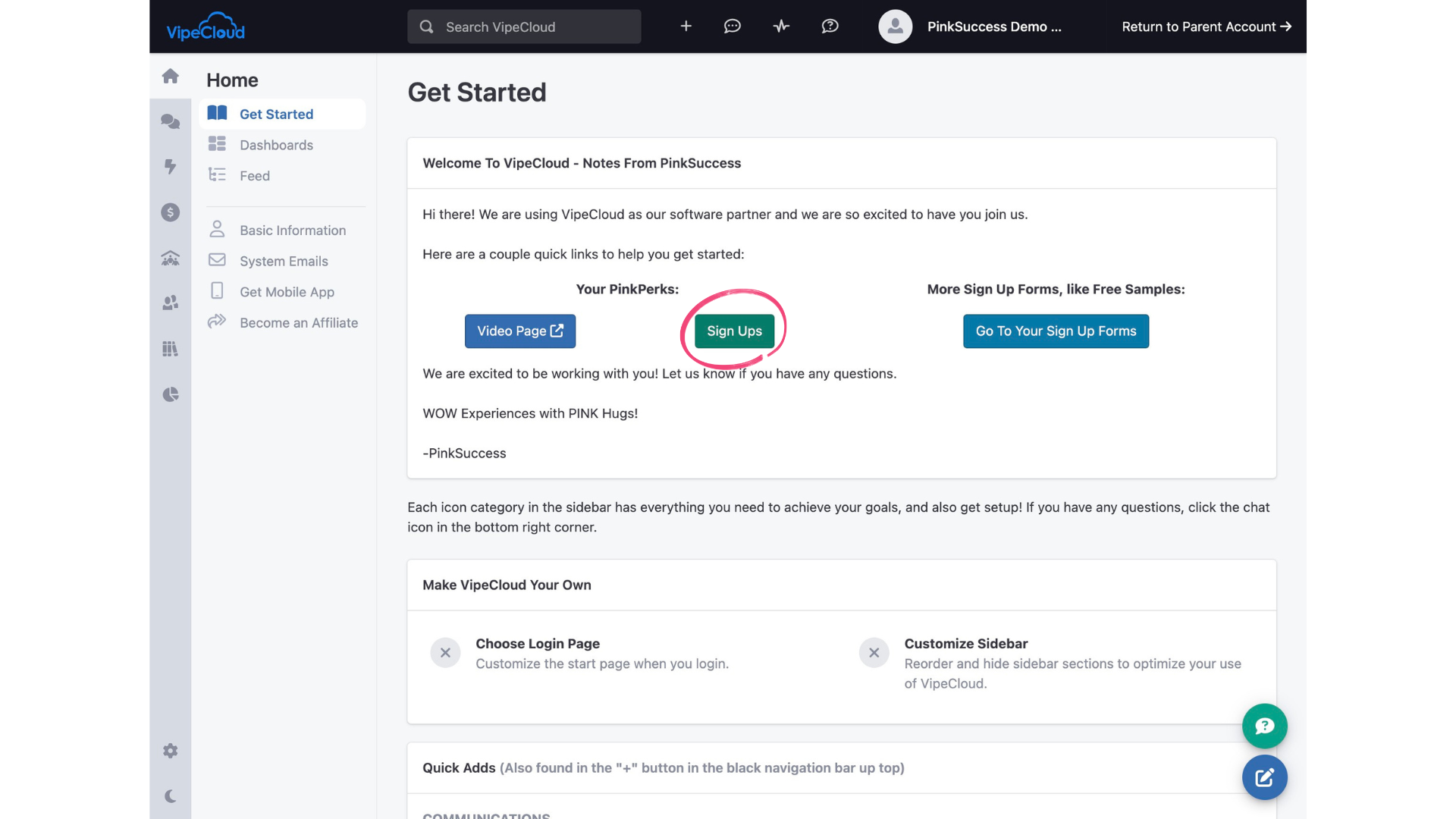
Step 3: Here you will find your PinkPerks information. Click on the Sign Ups button.
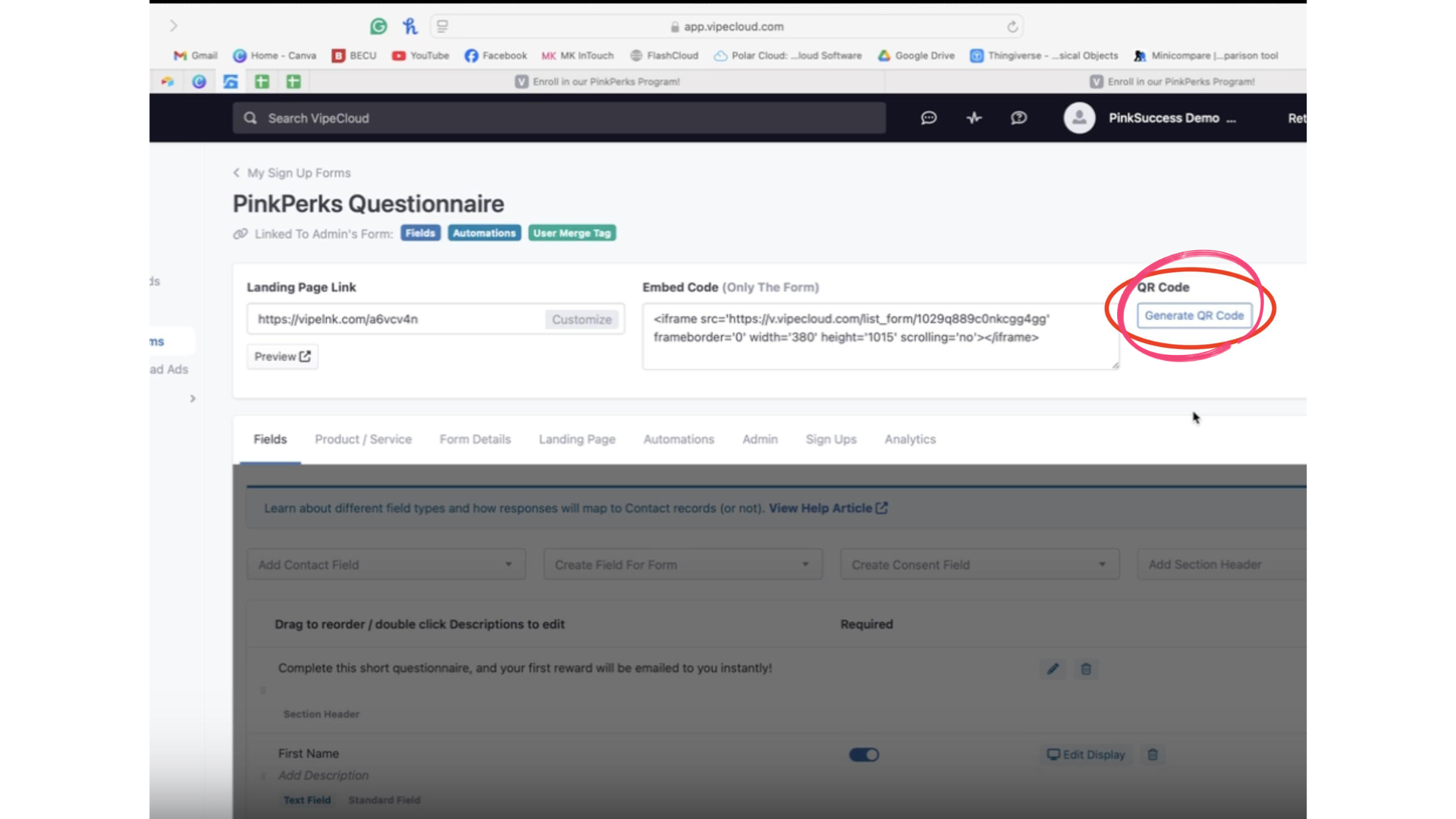
Step 4: Click the "Generate QR Code" button.
Step 5: Once your unique QR Code is generated, click the download button.
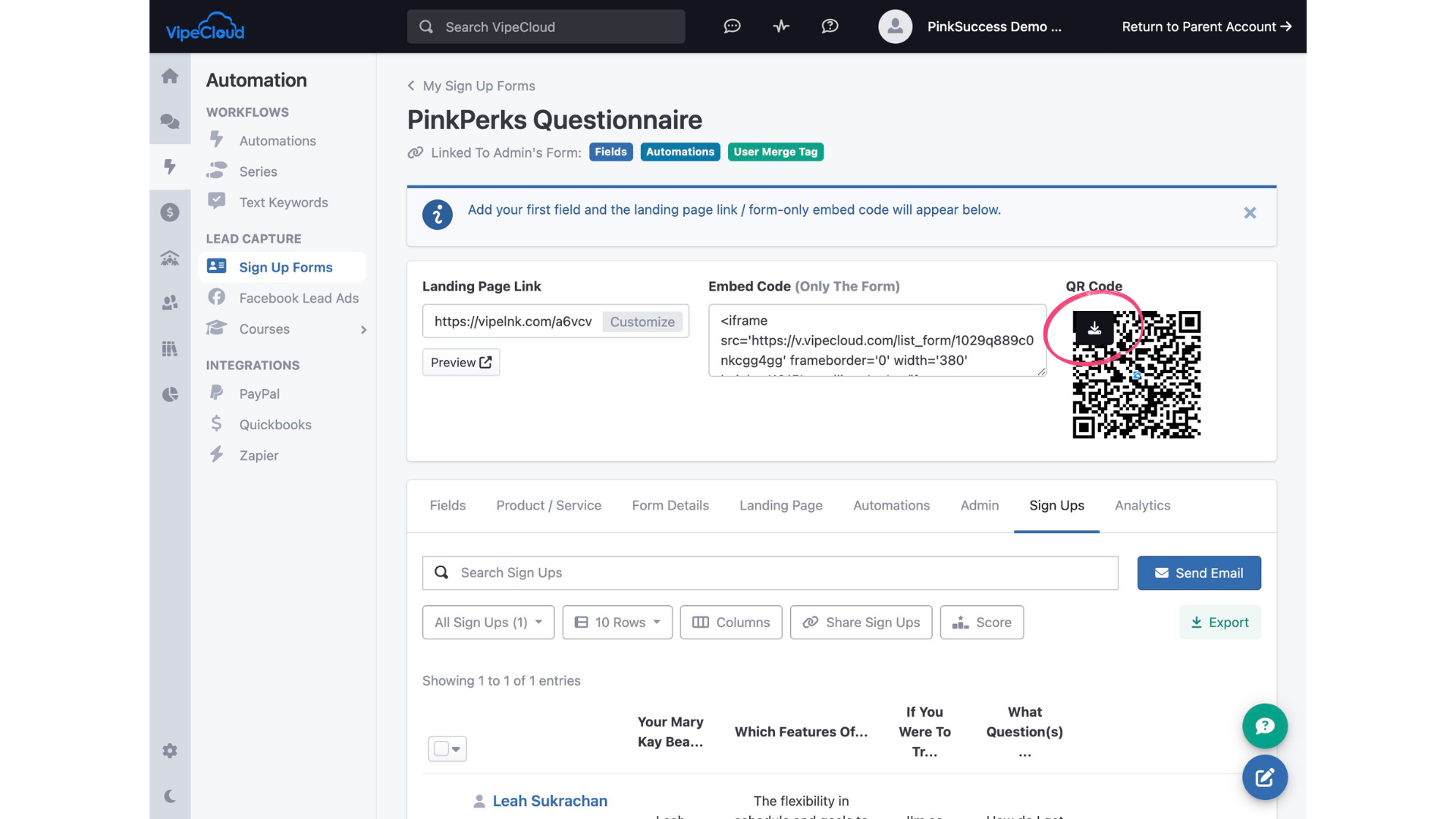
Step 6: You can add your QR code to a fun sign to use at your events, or even save it on your phone for warm chats! You can access Vipecloud via the browser on your phone and save the QR code to your phone images, or if you have it saved to your computer, you can transfer it to your phone a number of ways, including AirDrop, or even just emailing it to yourself!