
Auto Reco: How to Find Your Recognition Posts
Your PS Auto Reco Suite in VipeCloud is where you’ll find the recognition graphics and captions created for you. You can access your suite from either a computer or mobile device.
The video below will walk you through the process, or follow these steps to find your posts.
How to Find Your Auto Reco Suite
1. Log in to VipeCloud or open the VipeCloud app.
2. Click the Community icon (the icon with three people underneath the house).
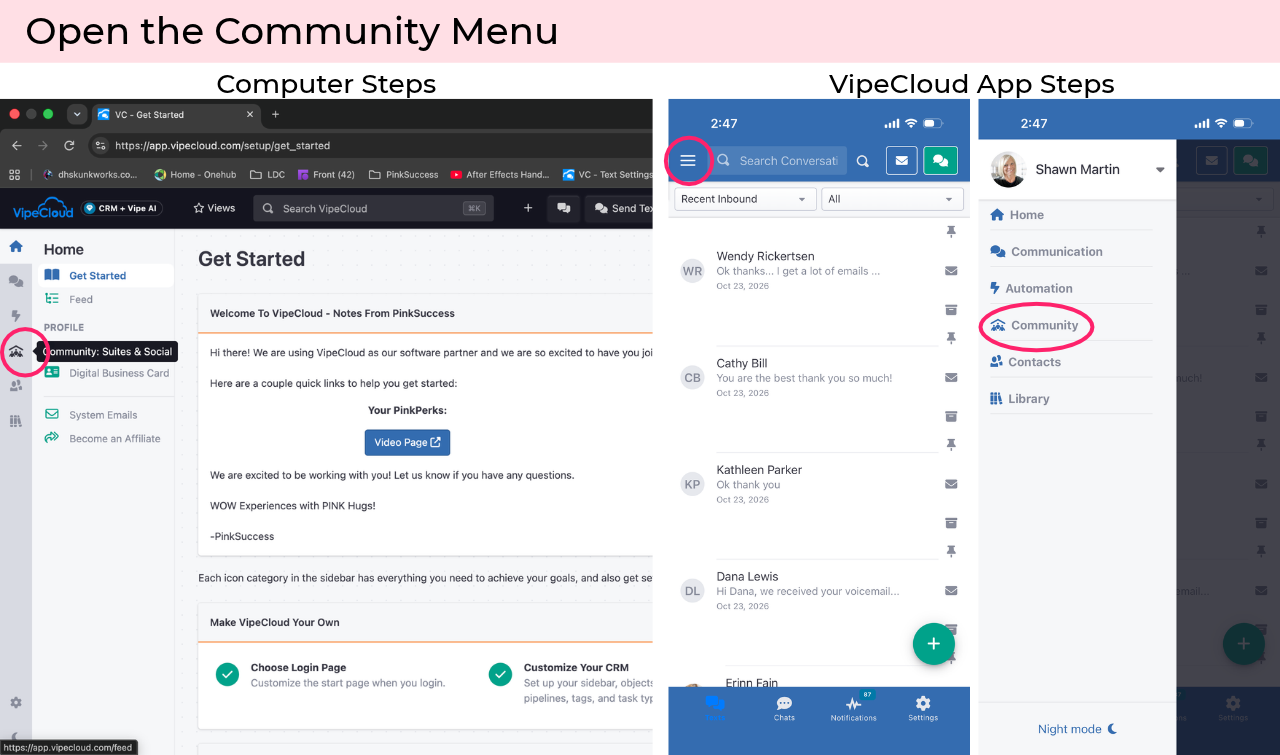
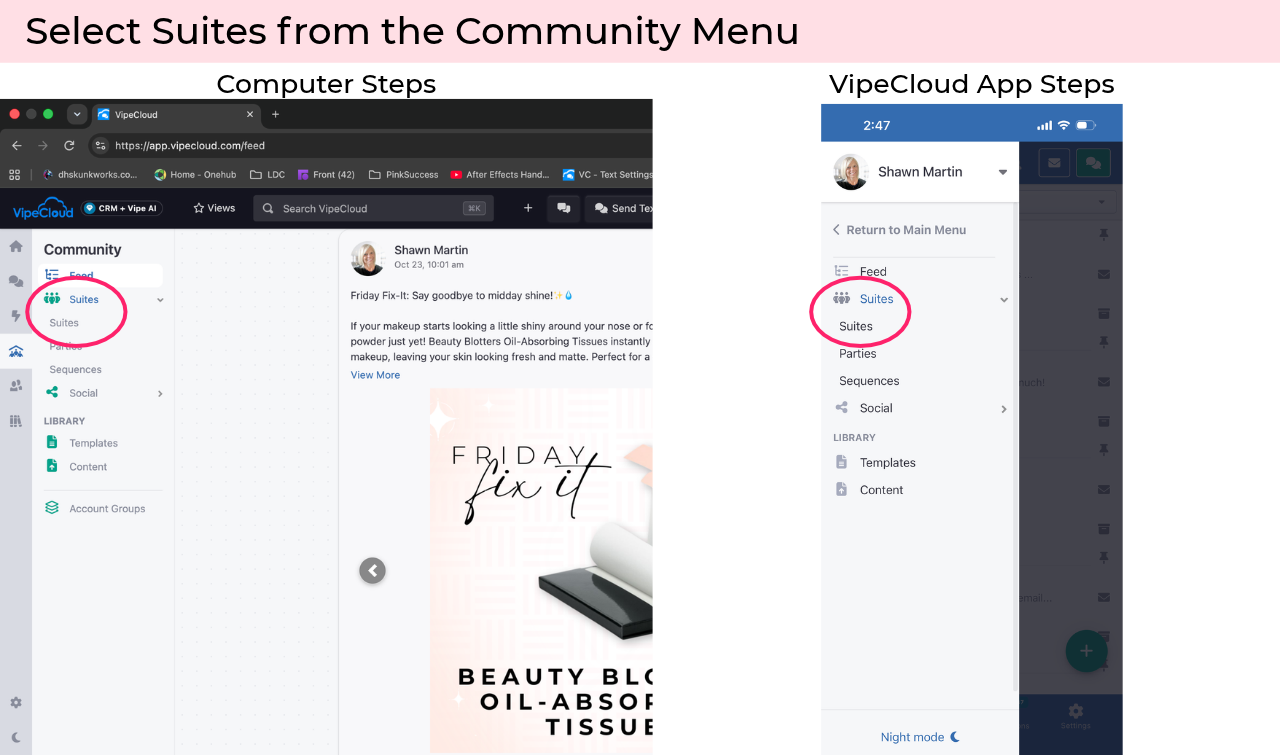
3. Click Suites to expand the menu, then click Suites again.
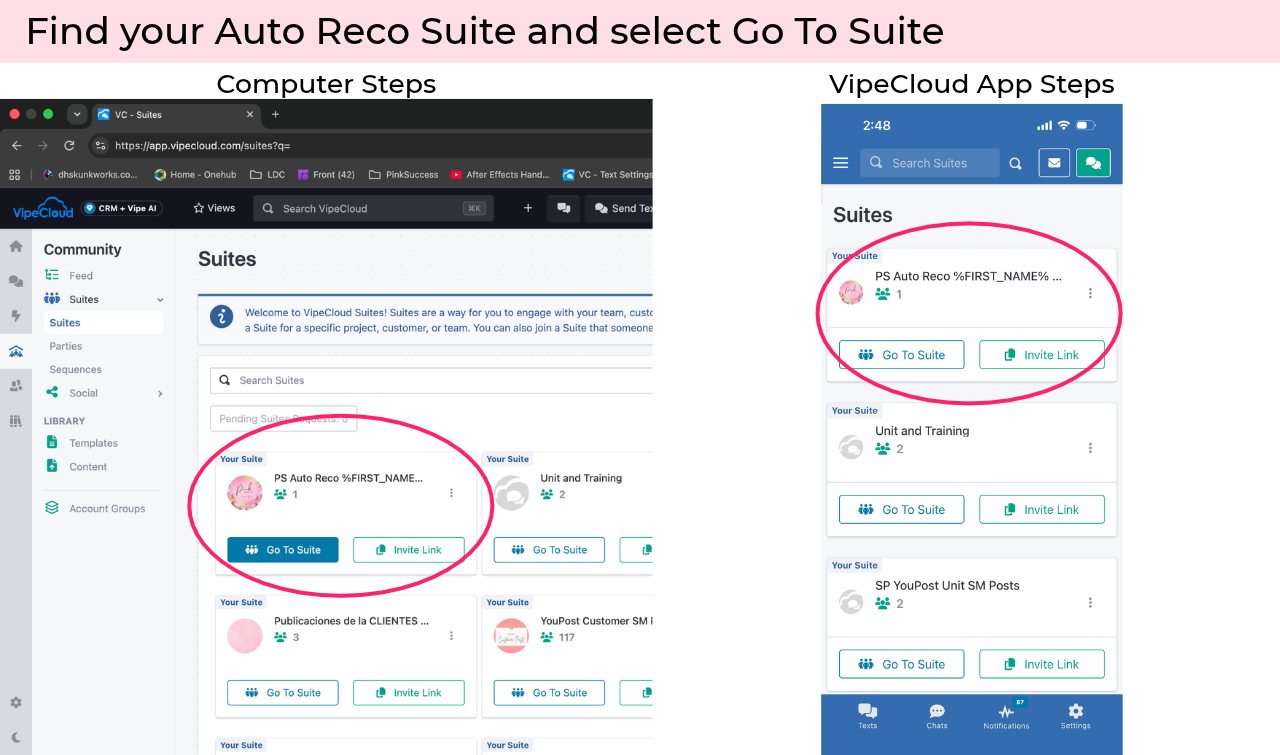
4. Open your PS Auto Reco Suite.
Look for the suite labeled PS Auto Reco – [Your First & Last Name] and click it to open.
View Your Recognition Posts
Once you've opened your PS Auto Reco Suite, follow these steps to find and view your recognition posts.
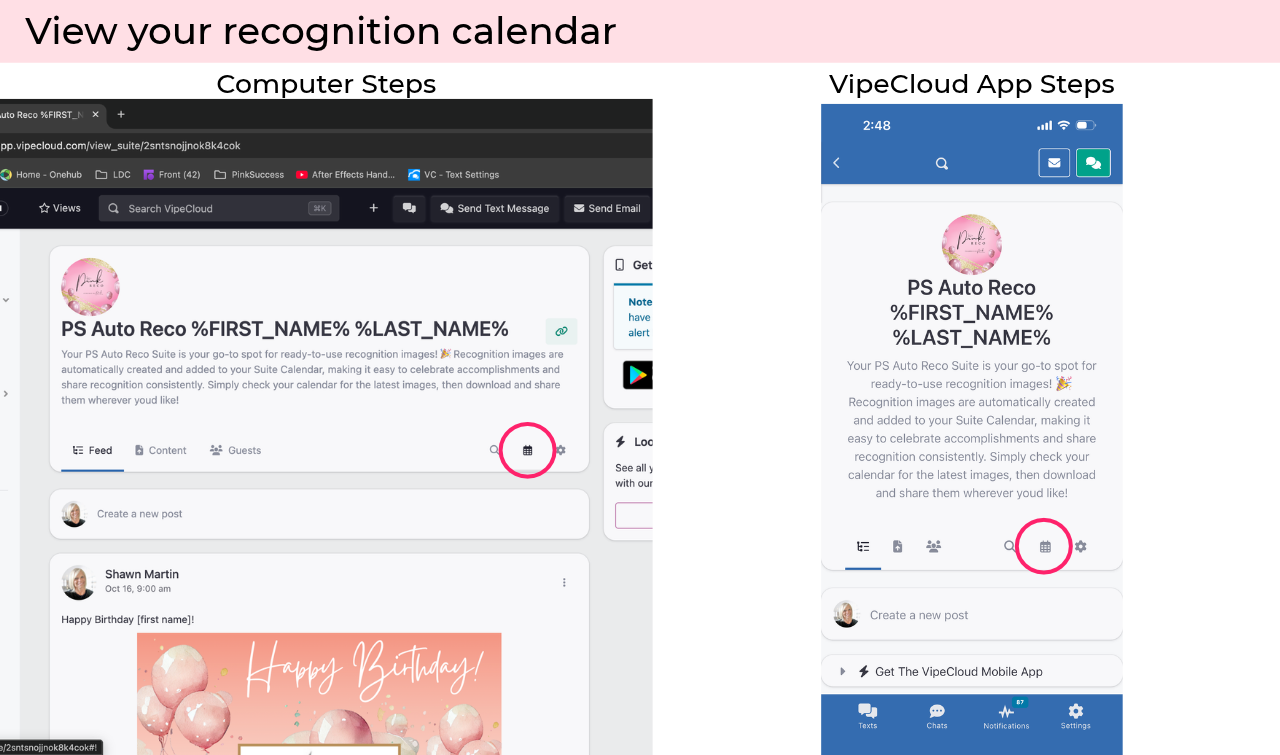
1. Open the Calendar
Click Calendar to see your recognition posts organized by date.
2. Find Your Recognition Posts
Browse the calendar to see your available recognition posts. Use the arrows at the top of the calendar to move between months.
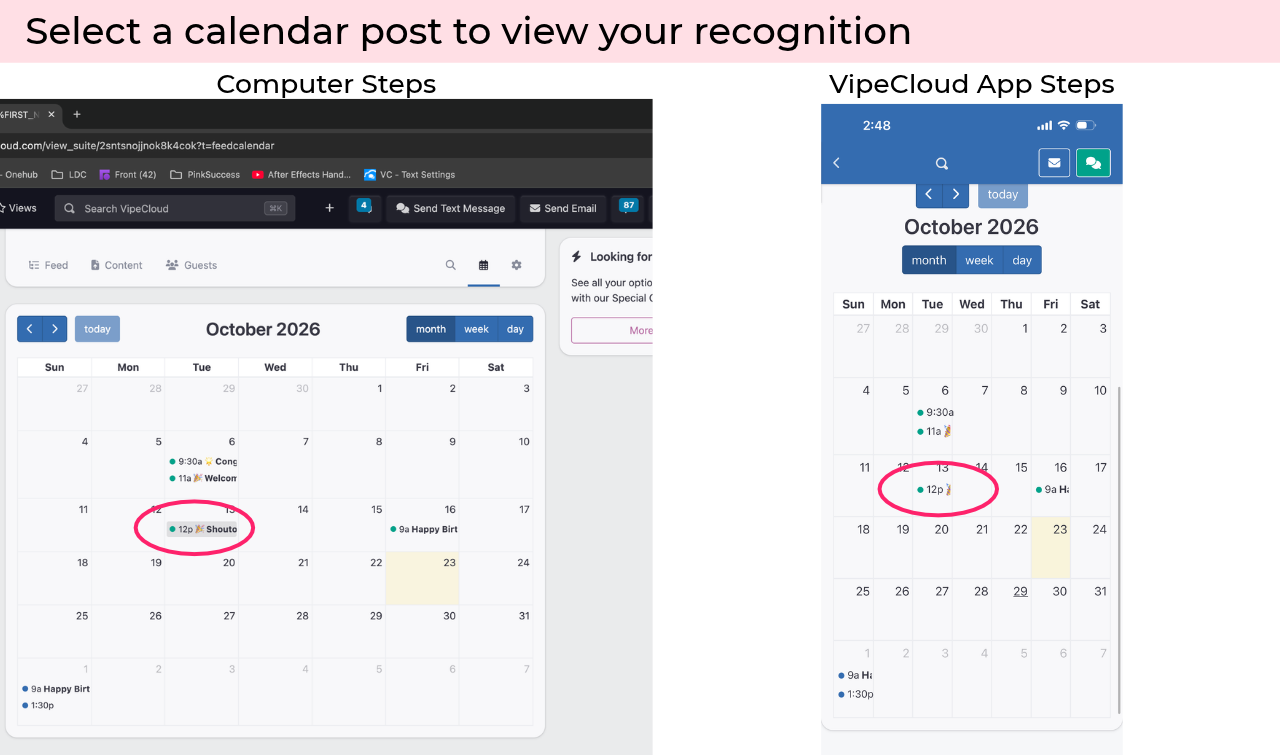
3. Open a Recognition Post
Click on any recognition post in the calendar to open it. From here, you can view and download the recognition image and caption.
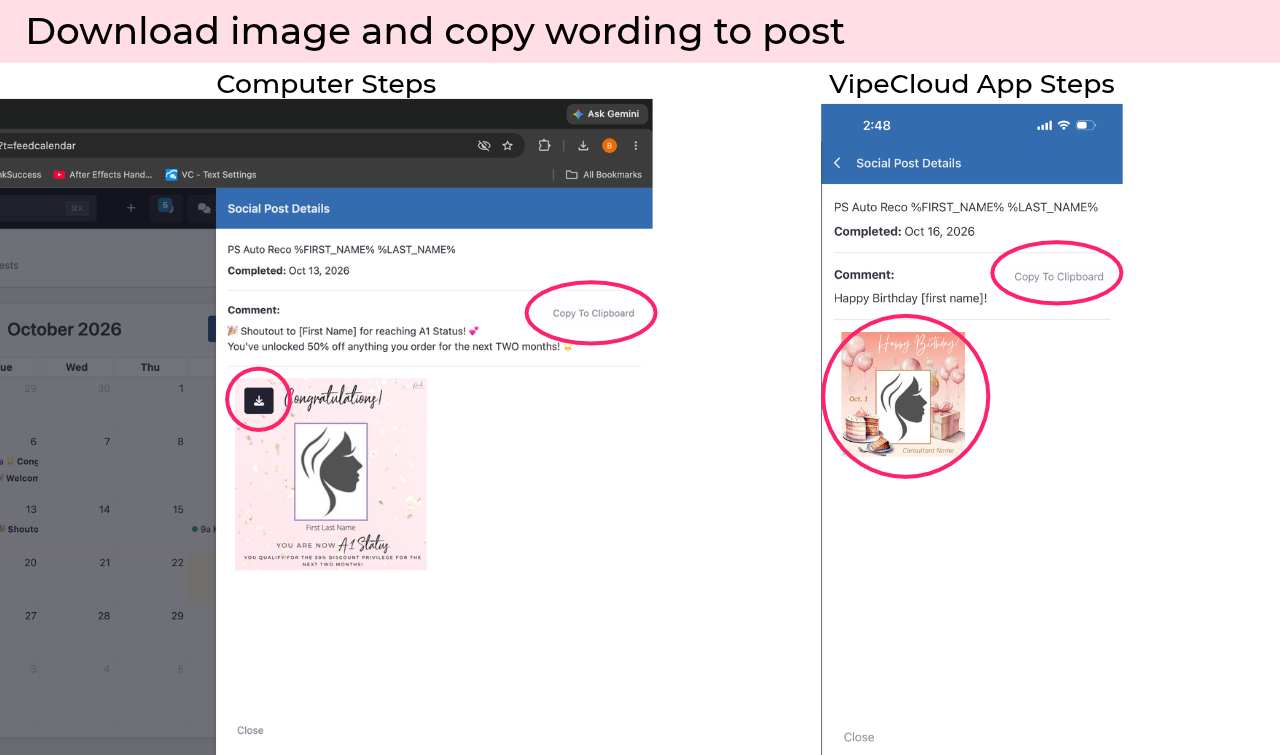
Tip: Recognition posts are added throughout the month as information becomes available, so be sure to check back for new posts!
When Will Recognition Appear?
Some recognition is prepared and scheduled ahead of time, including individual birthdays and anniversaries.
Other recognition is created as achievements happen. Auto Reco checks for new achievements daily and creates individual recognition for:
New Consultants
New A1 Status
Career Path advancements
Star Consultant achievements and new Star levels
$600 wholesale achievements
You'll also see select group recognition for:
On-target $600 wholesale ($300 wholesale by the 15th)
On-target Star Achievers
$600 achievers for the previous month
A1 Status achievers for the previous month
New Consultants
Anniversaries
Birthdays
Because some recognition is generated daily, new posts may appear in your suite throughout the month.
Quick Tip
Check your PS Auto Reco calendar regularly! If you see a time and a post listed on the calendar, simply click it to view the recognition, download the image, and copy the caption.
We hope you love having Auto Reco make celebrating your unit easier! 💕