
How to find the shared Google Folder
If you've already clicked the shared folder link once but need to find the folder again later, there are a few easy ways to access it.
Finding a Shared Folder on a Computer
Find the Folder in Google Drive
Go to Google Drive.
Click Shared with me in the left-hand menu.
Look for the shared folder in the list.
Double-click the folder to open it.
Add the Folder to Your Starred (Recommended)
To make the folder easier to find in the future:
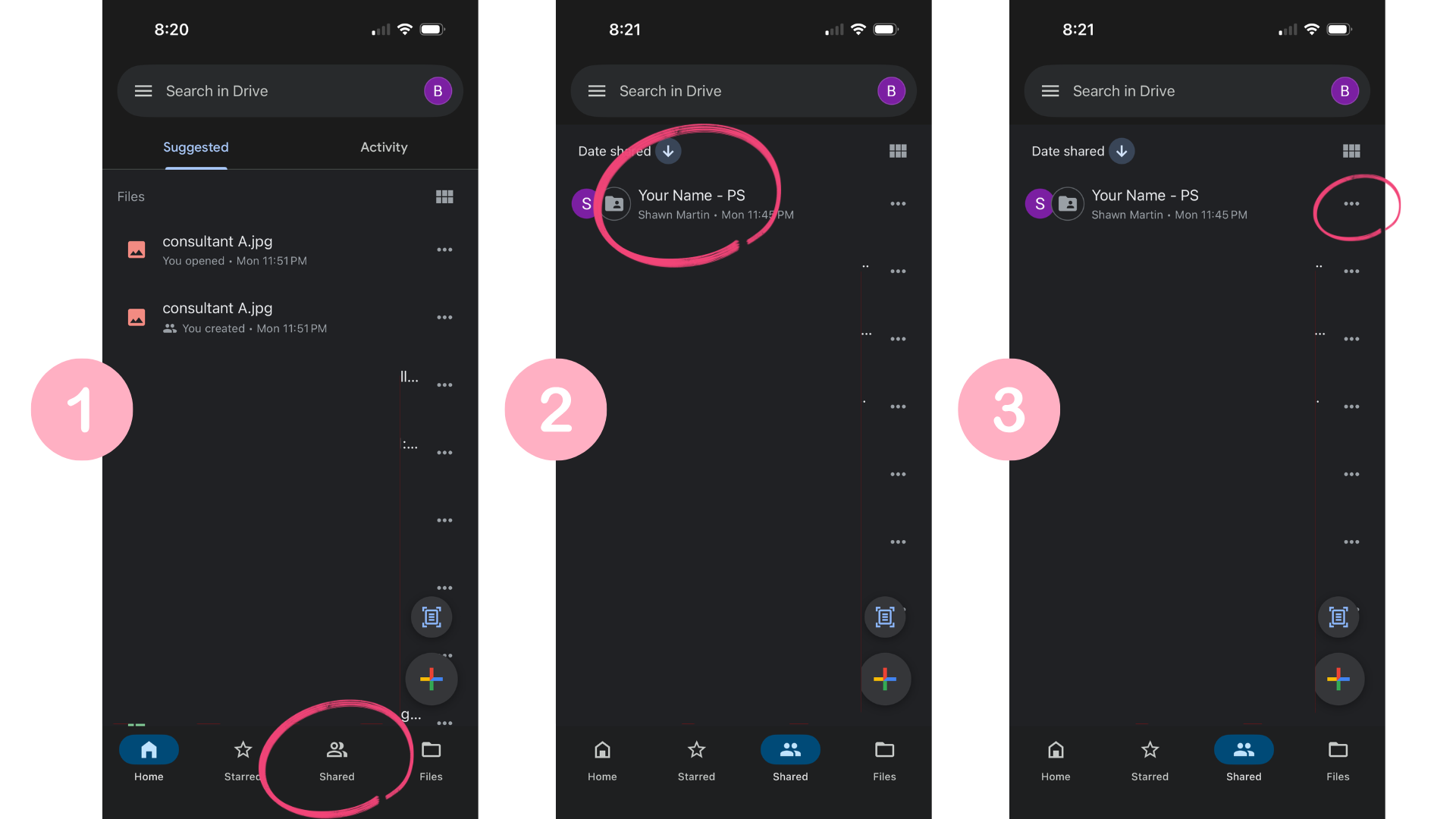
Open the shared folder. (1)
Click the folder name or the three dots next to the folder name. (3)
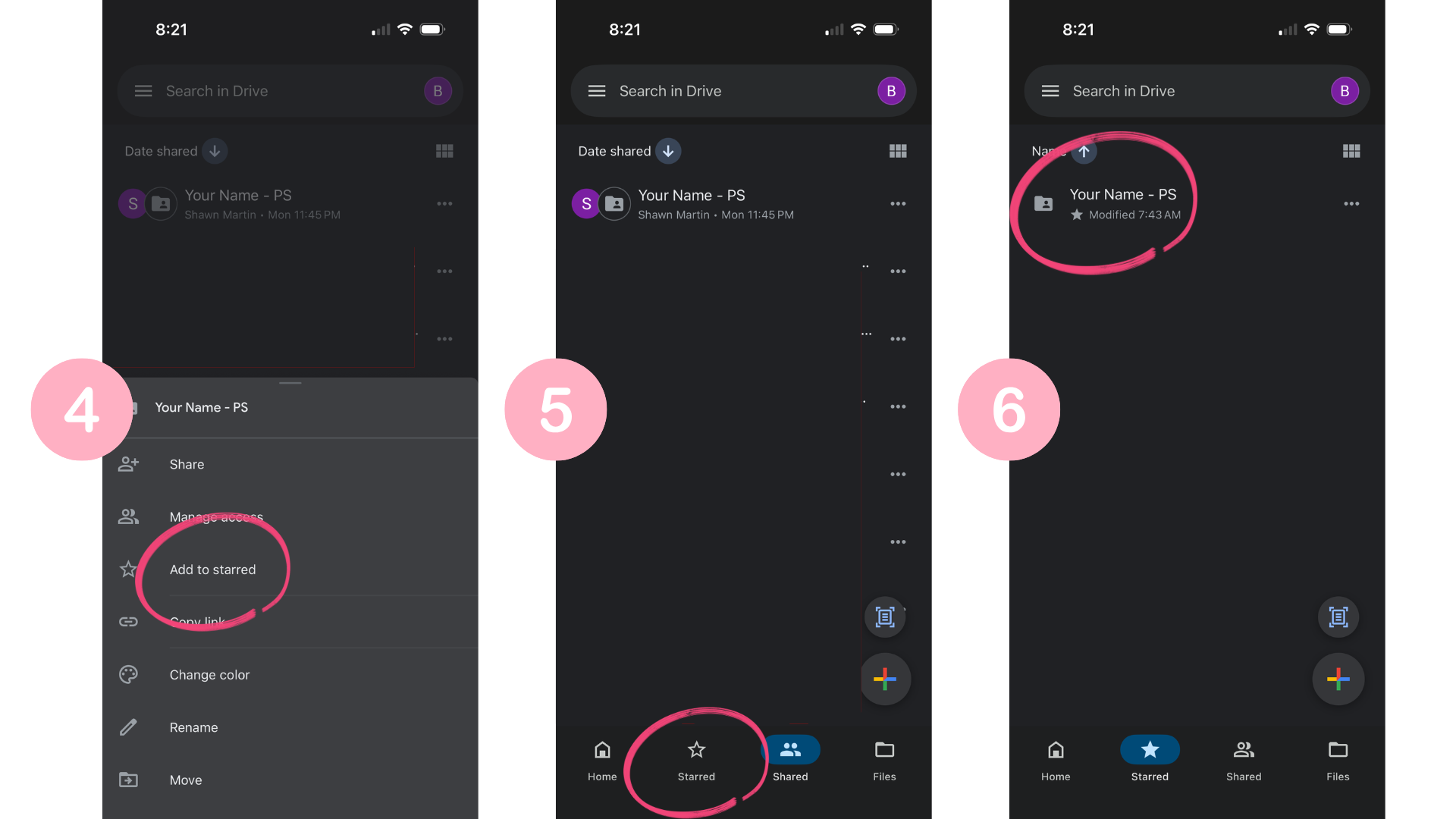
Select Add to starred. (4)
Now you can click Starred in the left menu and you will see the shared folder. (5)
This creates a shortcut so the folder is always easy to locate from your Google Drive.
Here are some screenshot on how to do this in the Google Drive App:
Still Can't Find the Folder?
If you cannot locate the folder:
Check that you are signed into the same Google account the folder was shared with.
Check the Spam folder in Google Drive for the folder.
Search your email for messages from Google Drive.
Search your Google Drive for the name of your folder 'You Name - PS'.